


Decide the services and term you need, then request a quote with your Fortinet model (and serial for renewals). DataCenter360 will match the correct SKUs, provide pricing, and help you activate—fast.
Get a Fortinet license quote →
Fortinet hardware is powerful, but its real value comes from the licensed security services and support behind it. Licenses enable threat intelligence updates, advanced inspection features, and ongoing firmware/support access that keep your environment secure and compliant.
Running without an active license can leave critical security features disabled, expose your network to known threats, and make upgrades or support tickets difficult.
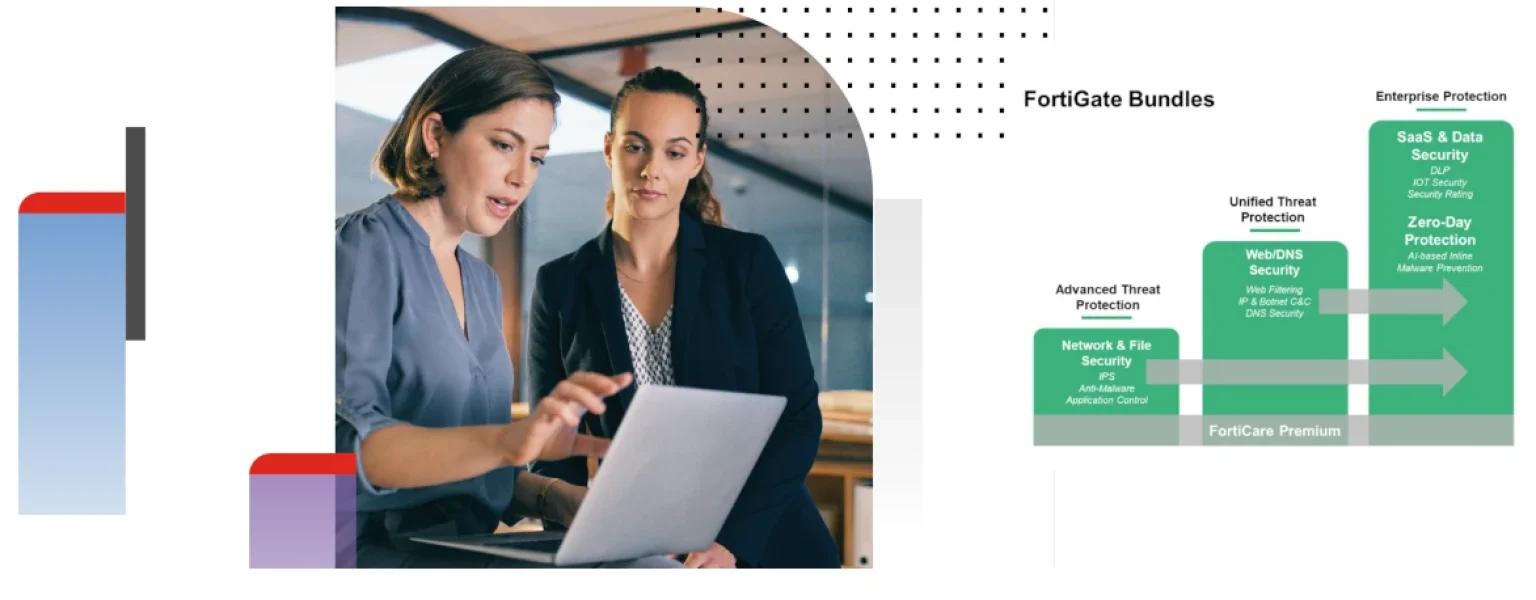
For most businesses, the easiest path is to select a bundle that groups the right mix of protections and support into one SKU.
Bundle names and contents can vary by model and year. The table below shows the typical idea so you can compare at a glance:
| Bundle | What it usually includes | Good fit for |
|---|---|---|
| UTM/Unified Threat Management | Core FortiGuard services (AV, IPS, App Control, Web Filter, Anti-Spam) + standard support/updates. | Small offices and straightforward perimeter protection. |
| Enterprise Protection | Everything in UTM plus advanced services such as sandboxing/ATP, enhanced web/security analytics, and extended coverage where available. | Organizations that want stronger detection depth and future-proofing. |
| 360-style Protection | Broad, full-stack coverage with additional ops/automation features, premium support tiers, and lifecycle tooling (varies by device). | Enterprises and security-mature teams looking for maximum coverage and operational benefits. |
Note: Exact bundle names and contents are tied to your specific model and Fortinet program at the time of purchase. We’ll map the correct SKUs for your device in your quote.
You can obtain licenses through several channels, but most businesses should purchase via a specialist reseller that can validate SKUs and assist with deployment:
• Company name:
• Contact name & email:
• Fortinet product model(s):
• Serial number(s) (for renewals):
• Services/bundle required (if known):
• Term (1/3/5 years):
• Sites/users/bandwidth context:
• Add-ons (e.g., sandboxing/ATP, SD-WAN, DNS security):
• Target timeline:
Send this to DataCenter360 and we’ll return the correct SKUs and pricing.
From the device GUI or your Fortinet portal, view the licensing page to see current status and expiry. If you’re unsure, send us your serial and we’ll confirm.
You can still renew. Services will resume after activation. We’ll recommend the best renewal term based on your hardware lifecycle.
Yes—each device can carry its own bundle/term. Many customers standardize bundles for simplicity but adjust for higher-risk sites.
Even basic deployments benefit from active signatures and support. Without licensing, you los