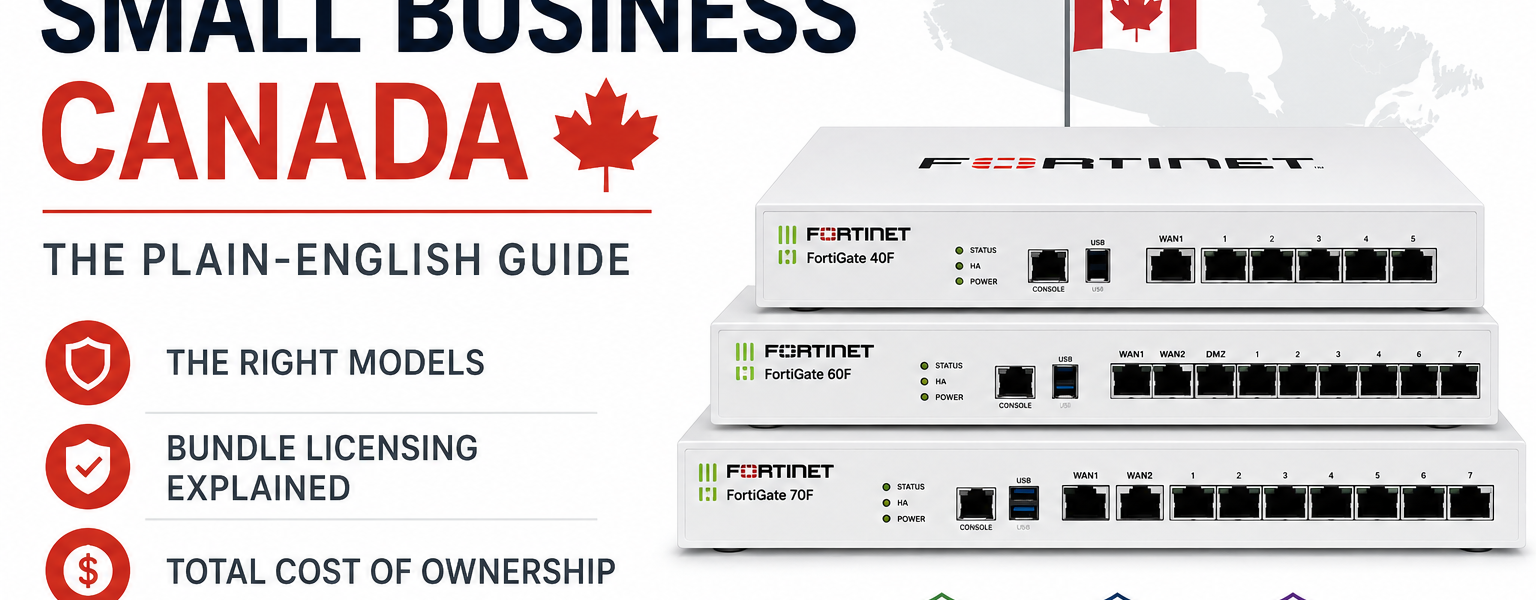
If you are researching fortigate small business canada options for the first time, the product lineup can look more complicated than it needs to be. There are multiple hardware models, three bundle tiers, multiple support options, and a current generation transition from F-Series to G-Series happening at the same time. This guide cuts through that complexity and gives you a plain-English explanation of what you actually need to know before making a purchase decision.
FortiGate is the most widely deployed next-generation firewall in the world, and it has a strong presence in the fortigate small business canada market for a few practical reasons. The hardware is purpose-built around Fortinet’s own ASIC processors rather than general-purpose CPUs, which means security inspection does not create the same performance bottleneck you see in software-based firewalls. The licensing model bundles multiple security services into a single subscription rather than charging separately for each feature. And the management interface, whether you use the on-box GUI, FortiGate Cloud, or FortiManager, is consistent across the entire product line.
For Canadian IT teams managing lean environments, those three things matter more than benchmark numbers. A firewall that slows down your internet connection when inspection is enabled, or that requires separate contracts for IPS, antivirus, and web filtering, creates operational problems that outweigh any upfront savings.
Fortinet also maintains a strong authorized partner network across Canada, which means local support, Canadian dollar pricing, and access to resellers who understand the specific compliance and regulatory landscape Canadian businesses operate in, including PIPEDA obligations around protecting personal information.
For fortigate small business canada deployments, the relevant models are in the desktop tier. These are compact, often fanless appliances designed for offices rather than data centres. The current generation is the G-Series (30G, 50G, 70G), which replaced the F-Series (40F, 60F, 70F) as Fortinet’s recommended lineup for SMB and branch deployments. The F-Series remains available and fully supported.
Here is how to think about sizing for a small business environment. All throughput figures below are from Fortinet’s official product datasheets and ordering guide:
Under 15 users: The FortiGate 30G is the current entry point. It delivers 4 Gbps firewall throughput, 500 Mbps threat protection throughput, and 400 Mbps SSL inspection throughput. It has one WAN port, two LAN ports, and one dedicated FortiLink port for connecting a FortiSwitch. It is fanless, desktop form factor, and straightforward to deploy. For very small offices with basic connectivity needs, the FortiGate 40F remains a capable and cost-effective alternative.
15 to 35 users: The FortiGate 50G steps up to 5 Gbps firewall throughput, 1.1 Gbps threat protection throughput, and 1.3 Gbps SSL inspection throughput. The SSL inspection figure in particular is more than double the equivalent F-Series model (60F at 630 Mbps), which matters for offices running heavy Microsoft 365 or cloud application traffic. The 50G has one WAN port, three LAN ports, and one dedicated FortiLink port.
35 to 70 users: The FortiGate 70G delivers 10 Gbps firewall throughput, 1.3 Gbps threat protection throughput, 1.4 Gbps SSL inspection throughput, and 2.5 Gbps IPS throughput. It supports two WAN ports, four LAN ports, and four dedicated FortiLink ports, making it suitable for small businesses running a FortiSwitch stack and multiple FortiAP access points alongside the firewall. The FortiGate 70F remains a solid choice in this range for organizations that need SSL VPN support, which the 70G also supports on current FortiOS versions.
If you are unsure which model fits your environment, DataCenter360 can help you size the right FortiGate for your user count, bandwidth, and inspection requirements before you commit to a purchase.
Every fortigate small business canada deployment involves two costs: the hardware and the license. The license is what activates the FortiGuard security services that make the firewall useful beyond basic packet filtering. Without an active license, your FortiGate will still route and filter traffic, but the threat intelligence, antivirus signatures, IPS rules, and web filtering databases will stop updating.
Fortinet offers three bundle tiers. Each one includes everything in the tier below it:
ATP (Advanced Threat Protection) covers IPS, antivirus, advanced malware protection, FortiSandbox SaaS, application control, and inline CASB.
UTP (Unified Threat Protection) adds URL filtering, DNS filtering, video filtering, and anti-botnet and command-and-control communication blocking on top of ATP.
ENT (Enterprise Protection) adds data loss prevention, AI-based inline malware prevention, IoT detection and vulnerability correlation, and attack surface monitoring and risk scoring on top of UTP.
All three bundles include FortiCare Premium support at no extra cost. FortiCare Premium provides 24×7 access to Fortinet’s support team with a one-hour response time for critical issues. For a fortigate small business canada deployment, this is meaningful because it means you are not paying separately for hardware support on top of your security subscription.
Bundles are available in 1, 3, and 5 year terms. For most small businesses, a 3 year term offers the best balance of cost and flexibility. You can review the full bundle breakdown directly on Fortinet’s FortiGuard security bundles page at fortinet.com.
One of the more practical features for fortigate small business canada deployments is FortiGate Cloud. It is a SaaS management platform that lets you configure, monitor, and report on your FortiGate appliance without running an on-premises management server. For a small business that does not have a dedicated network operations team, FortiGate Cloud provides a centralized view of traffic, threats, and system status through a clean web interface.
FortiGate Cloud also supports zero-touch provisioning for connected FortiSwitch and FortiAP devices, which simplifies adding switching and wireless capacity to your network without manual configuration at each device. If you are building out a full Fortinet fabric environment with switches and access points alongside your FortiGate, FortiGate Cloud makes that manageable without a full-time network administrator.
When budgeting for a fortigate small business canada deployment, the hardware price is only part of the picture. Here is what a complete first-year budget needs to account for:
Hardware: The physical appliance. Prices vary by model and are quoted in CAD by authorized Canadian resellers. Contact DataCenter360 for current Canadian pricing on the 30G, 50G, 70G, 40F, 60F, and 70F models.
Bundle licensing: The FortiGuard subscription (ATP, UTP, or ENT) for your chosen term. On a 3 year term, the per-year cost of the license is lower than buying annually. Over the life of the hardware, the cumulative licensing cost typically exceeds the hardware cost, so factor this in upfront.
Deployment and configuration: If your internal team is handling initial setup, budget time. If you are working with a Fortinet reseller or MSSP, ask about deployment costs upfront. A correctly configured FortiGate from day one is worth the investment. Misconfigured firewalls are one of the most common causes of security incidents at small businesses.
Ongoing management: If you do not have internal staff to monitor and manage the firewall, an MSSP arrangement provides policy management, alert response, and renewal tracking as an ongoing service.
Do I need a FortiGate if I already have a firewall built into my router?
Consumer and entry-level business routers include basic stateful packet inspection, which blocks traffic based on ports and protocols. A FortiGate running a UTM or ENT bundle inspects the content of traffic, not just its origin and destination. It identifies malware in files, blocks command-and-control communications from compromised devices, enforces application-level policies, and filters DNS queries. For any Canadian small business handling customer data or subject to PIPEDA, the difference between basic routing firewall capability and a properly licensed FortiGate is the difference between a perimeter and a security posture.
How long does a FortiGate take to deploy in a small office?
A straightforward fortigate small business canada deployment in a single-site office, replacing an existing firewall with a preconfigured FortiGate, typically takes two to four hours for an experienced engineer. More complex environments with VLANs, SD-WAN, VPN tunnels, or multiple connected FortiSwitch and FortiAP devices take longer. Zero-touch provisioning with FortiGate Cloud can reduce on-site time for branch deployments once the initial configuration template is built.
What happens if my FortiGate license expires?
When a FortiGuard bundle license expires, the security service databases stop receiving updates. Your firewall continues to function and route traffic, but it is operating on outdated threat intelligence. IPS signatures, antivirus definitions, URL filtering categories, and DNS filtering data will no longer reflect current threats. For a fortigate small business canada deployment, an expired license is a significant security risk. Renewing before expiry is always the right approach. A good reseller tracks your renewal dates and contacts you in advance.
Can I manage a FortiGate myself without IT experience?
The FortiGate management interface is more approachable than most enterprise firewall platforms, and FortiGate Cloud simplifies day-to-day monitoring for non-specialists. That said, initial configuration, policy design, and ongoing tuning benefit significantly from Fortinet expertise. For a small business without dedicated IT staff, working with a Fortinet MSSP for initial setup and ongoing management is worth the cost compared to the risk of a misconfigured or unmonitored firewall.
DataCenter360 is a Fortinet Select Partner and MSSP based in Toronto, serving small and mid-market businesses across Canada. The team can size the right FortiGate model for your environment, provide CAD pricing on hardware and multi-year bundle licensing, and offer managed security services for organizations that need ongoing support after deployment.
Contact DataCenter360 at datacenter360.ca/contact-us or call 647-255-1700.
