On October 21, 2026, the PHP project shipped emergency fixes for two critical remote code execution bugs now known as PHP2Shell. Details leaked a day early, and Cloudflare reported attack attempts before the patches were even out. If you run WordPress, WooCommerce or any custom PHP app behind a FortiGate, here is what to do today.
PHP2Shell is a pair of memory bugs in how PHP handles incoming request data. A crafted request can leave PHP’s memory in a broken state, and an attacker can turn that into running their own code on your server. FortiGuard rates it Critical, CVSS 9.8.
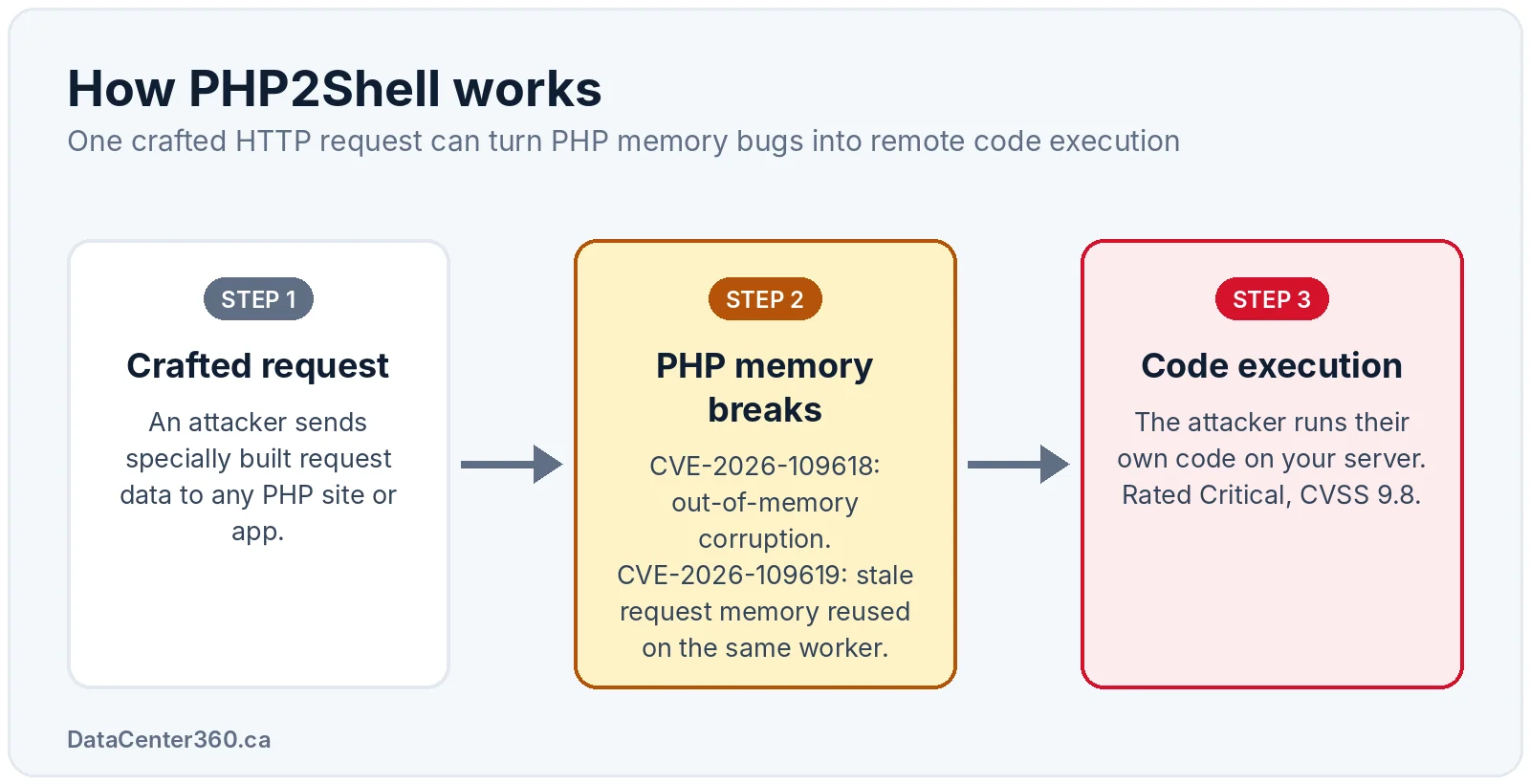
The good news: researchers note that the public exploits do not work against a default PHP installation. The bad news: production servers rarely run defaults, and exploits get better fast. Treat this as patch-now.
| Date (2026) | What happened |
|---|---|
| October 22 | FortiGuard releases the Outbreak Alert “PHP2Shell Remote Code Execution Vulnerabilities” |
| October 21, 14:00 UTC | PHP releases patched versions |
| Before October 21 | Cloudflare reports early attacks, before the patch release |
| October 20 | Vulnerability details leak |
FortiGuard says widespread exploitation is not independently confirmed yet. That window will not stay open long.
Every unpatched PHP version from 5.4 onward is affected, across the 5.x, 7.x and 8.x lines. With PHP running about 69% of websites that use a known server-side language (W3Techs, per FortiGuard), that covers most WordPress and WooCommerce stores in Canada.
| PHP branch | Safe version | What to do |
|---|---|---|
| 8.5 | 8.5.12 or later | Update now |
| 8.4 | 8.4.27 or later | Update now |
| 8.3 | 8.3.36 or later | Update now |
| 8.2 | 8.2.35 or later | Update now |
| 8.1, 8.0, 7.x, 5.x | No official fix (end of life) | Upgrade to a supported branch |
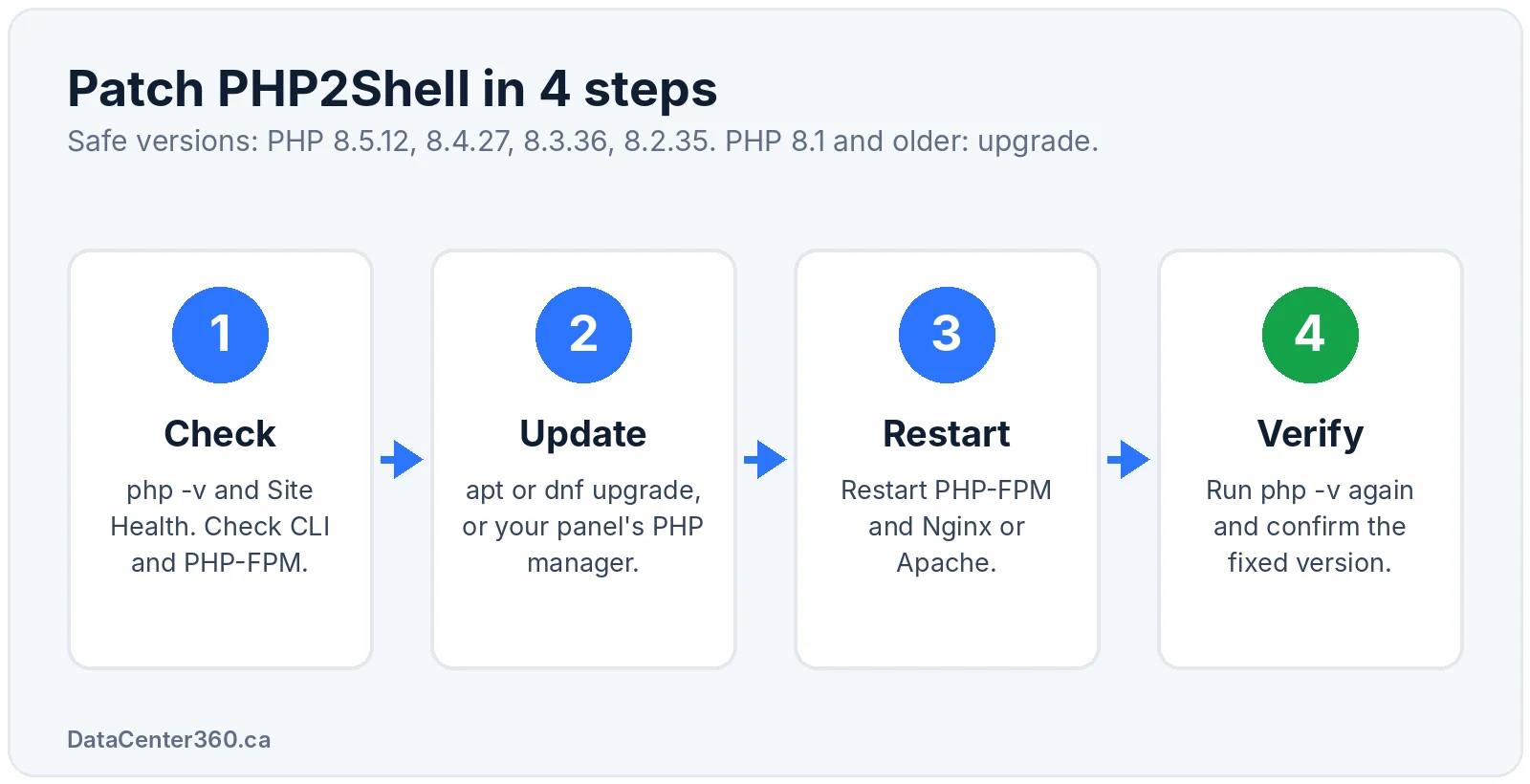
The CLI and the web-facing PHP (PHP-FPM or Apache mod_php) can be different versions, so check both.
php -v                 # CLI version
php-fpm8.3 -v          # FPM version (Debian/Ubuntu naming, adjust to your branch)
ls /etc/php/           # every PHP branch installed on Debian/Ubuntu
In WordPress, go to Tools > Site Health > Info > Server to see the PHP version your site really uses.
# Ubuntu / Debian
sudo apt update
sudo apt install --only-upgrade 'php8.3*'

# RHEL / AlmaLinux / Rocky
sudo dnf upgrade 'php*'
On cPanel or Plesk, apply the update through the panel’s PHP manager. For Docker, rebuild your images from a patched official PHP tag and redeploy.
This step is not optional. Running PHP workers keep the old, vulnerable code in memory until they restart.
sudo systemctl restart php8.3-fpm
sudo systemctl reload nginx         # Nginx
sudo systemctl restart apache2 # Apache (required for mod_php)Run php -v again and recheck Site Health. If you are on PHP 8.1 or older, plan the jump to a supported branch now and test your plugins and themes on staging first.
Patching fixes the bug. Fortinet security layers cut the risk while you roll patches across every server, and catch the box someone forgot.
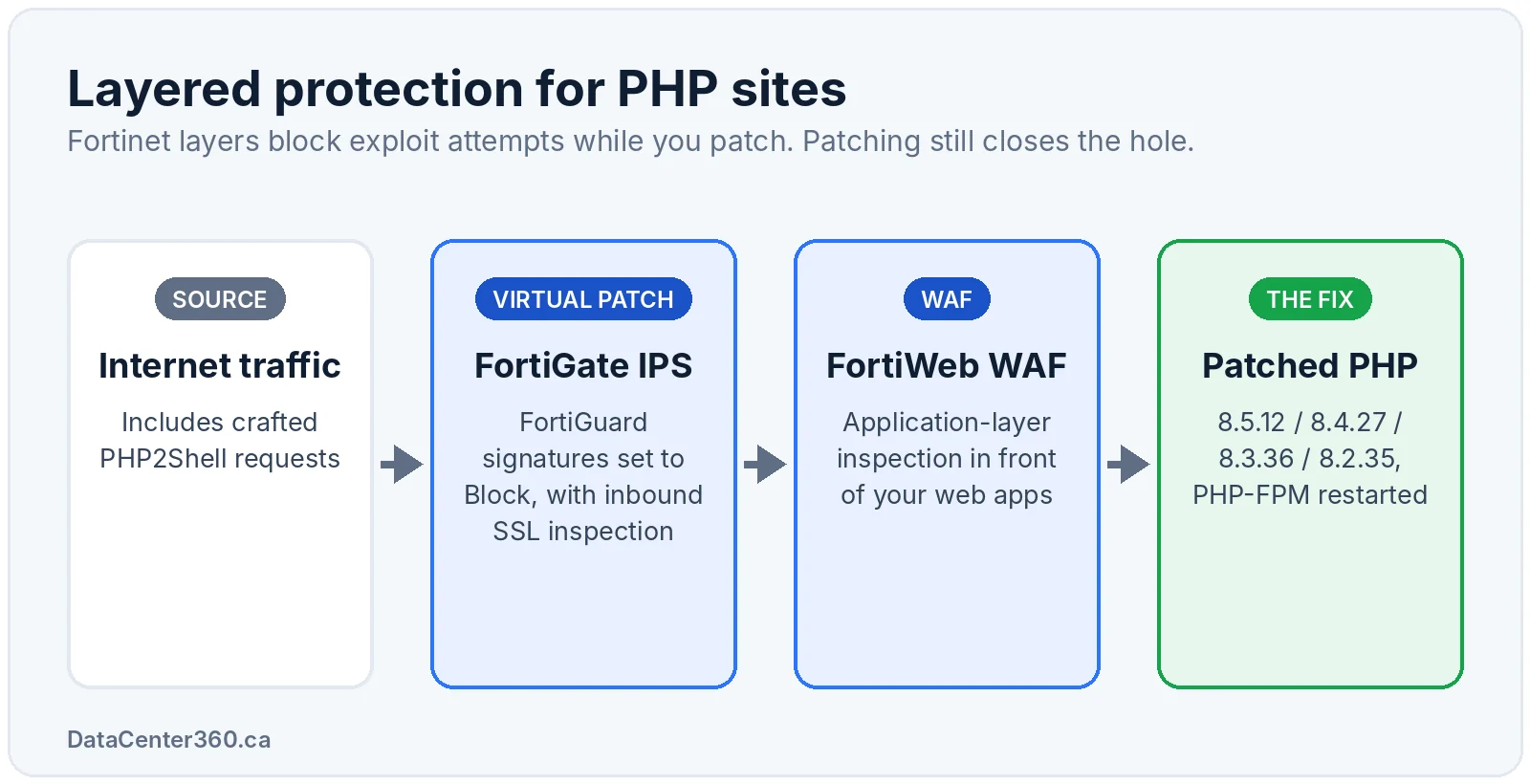
With an active FortiGuard IPS subscription, FortiGate inspects inbound traffic to your web servers and can block exploit attempts before they reach PHP. To make it count:
diagnose autoupdate versions in the CLI.IPS is included in the FortiGuard UTP and Enterprise Protection bundles, or as a standalone service such as FortiGuard IPS for the FortiGate 90G.
FortiWeb sits in front of WordPress, WooCommerce and custom apps and inspects HTTP at the application layer. Keep its FortiGuard signature updates current and check the Outbreak Alert for its coverage of these CVEs.
FortiGuard published its PHP2Shell Outbreak Alert on October 22, 2026, and updates it as detection and exploitation news changes. Bookmark it.
Cloudflare reported early attacks before the October 21 patch release. FortiGuard says widespread exploitation is not independently confirmed yet.
Yes, if the server runs an unpatched PHP version from 5.4 onward. The bug is in PHP itself, not in WordPress, so updating plugins alone does not fix it.
No. FortiGuard IPS signatures complement patching, they do not replace it. Patch PHP and keep IPS in Block mode as a second layer.
Yes. Restart PHP-FPM and your web server, or the old vulnerable code keeps running in memory.
Those versions are end of life with no official fix. Upgrade to a supported branch (8.2 or later) and use FortiGate IPS or FortiWeb to reduce risk during the migration.
Data Center 360 is a Canadian Fortinet Select Partner and MSSP. Get FortiGuard IPS, UTP and Enterprise bundles at DataCenter360.ca, with 13,000+ Fortinet products and free shipping in Canada.
